27I want to make it look my way
31 themes, dark mode, home layouts, and icon packs
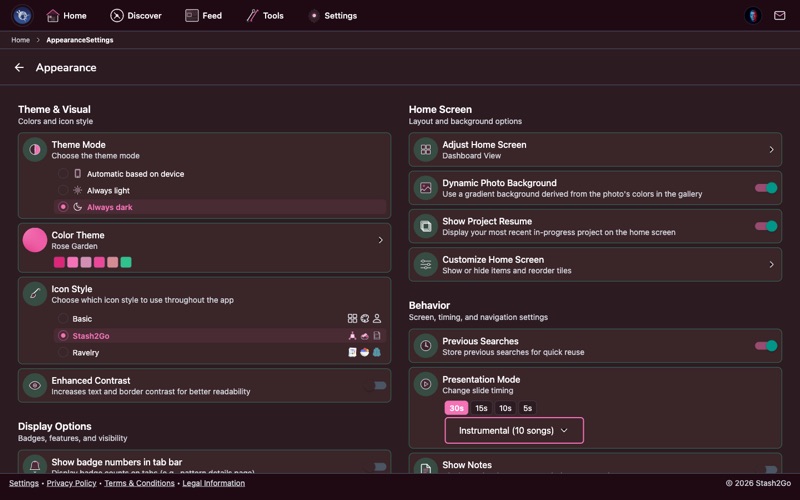
Navigate to Settings → Appearance to access all visual customization options. From here you can change your color theme, toggle dark mode, pick a home screen layout, switch icon packs, enable accessibility features, and configure display preferences. This is where you make Stash2Go look and feel exactly how you want it.
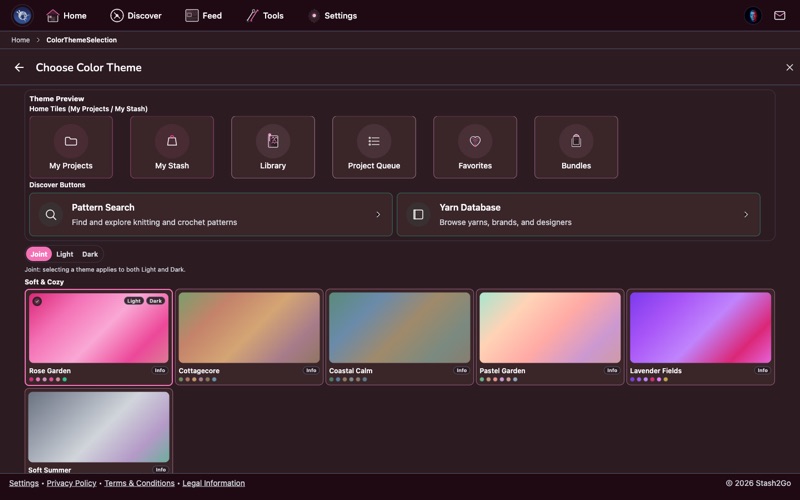
Pick from 31 handcrafted themes - Aurora, Coastal Calm, Cottagecore, Dark Academia, Neon Dreams, Vintage Sepia, Deep Space, Rose, and many more. Each theme includes coordinated light and dark mode variants with matching accent colors, card borders, and background tones. Some themes use subtle shadows for a clean look, while others use thin colored borders for definition.
Themes affect the entire app - navigation bars, cards, buttons, and highlights all adapt. Your chosen theme is synced across all paired devices.
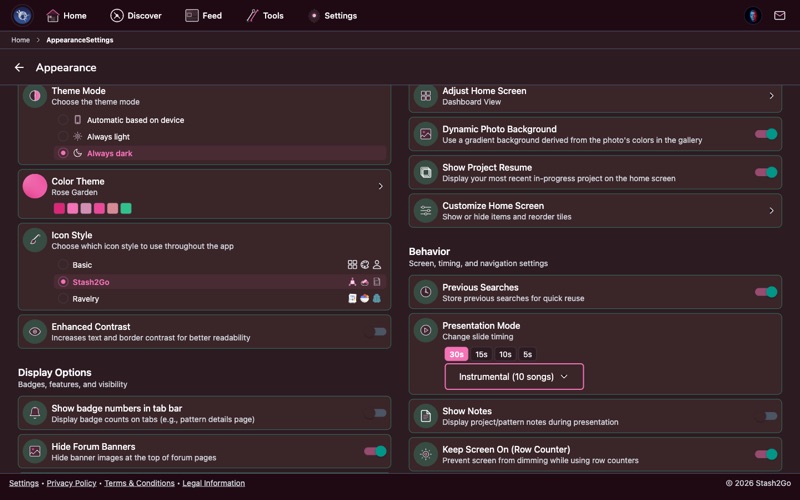
Three options: Light for bright backgrounds, Dark for reduced glare and battery savings on OLED screens, or Auto which follows your device's system setting (switches automatically at sunset if your device is configured that way). Every theme is designed to look great in both modes.
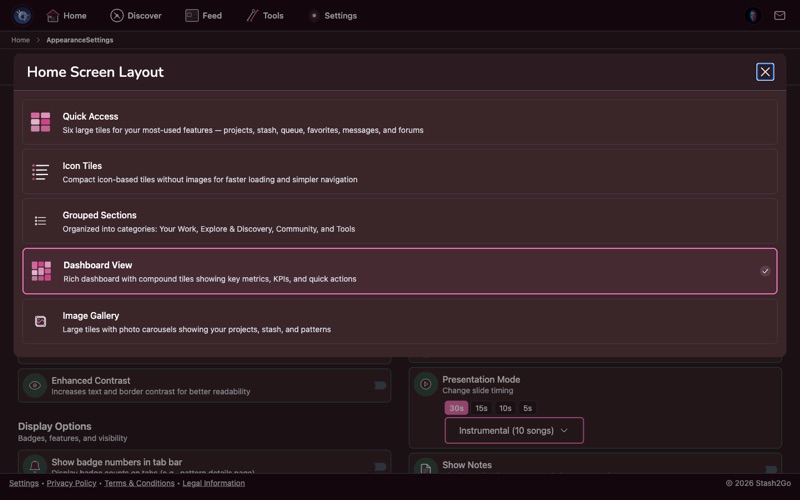
Choose how your home screen is organized:
Basic - Simple 2-column grid with large, easy-to-tap tiles.
Organized - Compact 3-column grouped layout with sections.
Masonry - Pinterest-style staggered grid.
Carousel - Swipeable horizontal sections.
You can also customize which tiles appear on the home screen and reorder them to match your workflow. Hide features you don't use and keep your most-used shortcuts front and center.
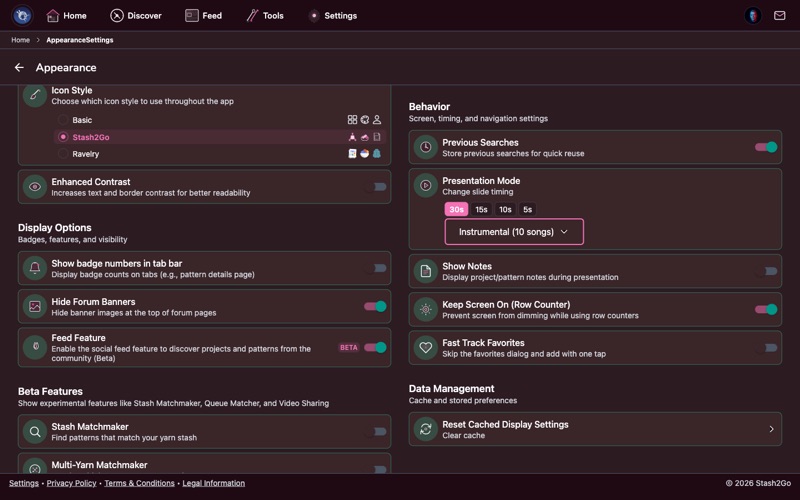
Change the look of your navigation icons:
Basic - Standard system icons for a clean, familiar look.
Stash2Go - Custom craft-themed icons with yarn balls, knitting needles, and crochet hooks.
Ravelry - Ravelry's official icon set for a consistent look if you're used to the Ravelry website.
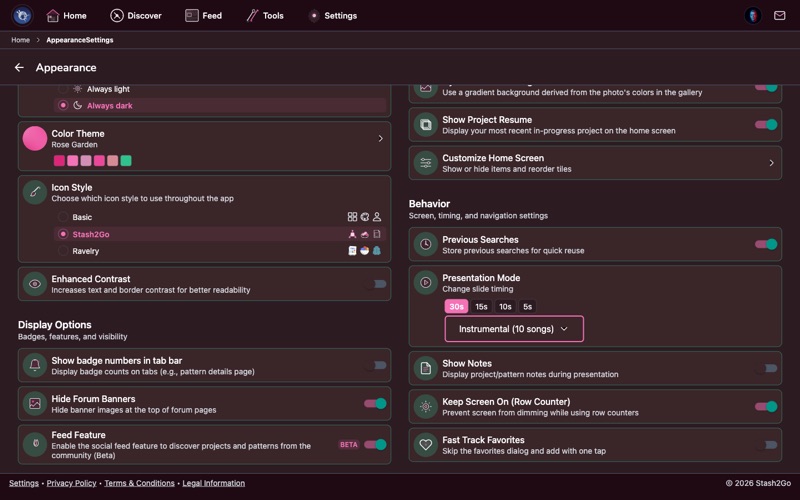
Enhanced Contrast - Maximizes text contrast, saturates accent colors, and blends backgrounds toward neutral for better readability. Great for bright outdoor lighting or low-vision needs.
Beta features - Toggle experimental tools like Stash Matchmaker, Multi-Yarn Matchmaker, Queue Matcher, Video Sharing, PDF Chart Detector, and Forum Live Updates.
Dynamic Photo Background - Uses blurred photos from your projects as your home screen background, creating a personalized look that changes with your latest work.
Keep Screen On - Prevents screen sleep while using the app, so the display stays on during row counting and PDF reading. No more tapping the screen to wake it up mid-row.
Available on iPhone, iPad, Android, and web at app.stash2go.com