45I want to move my data to Ravelry
Migrate your Google-only projects, stash, and tools to your Ravelry account
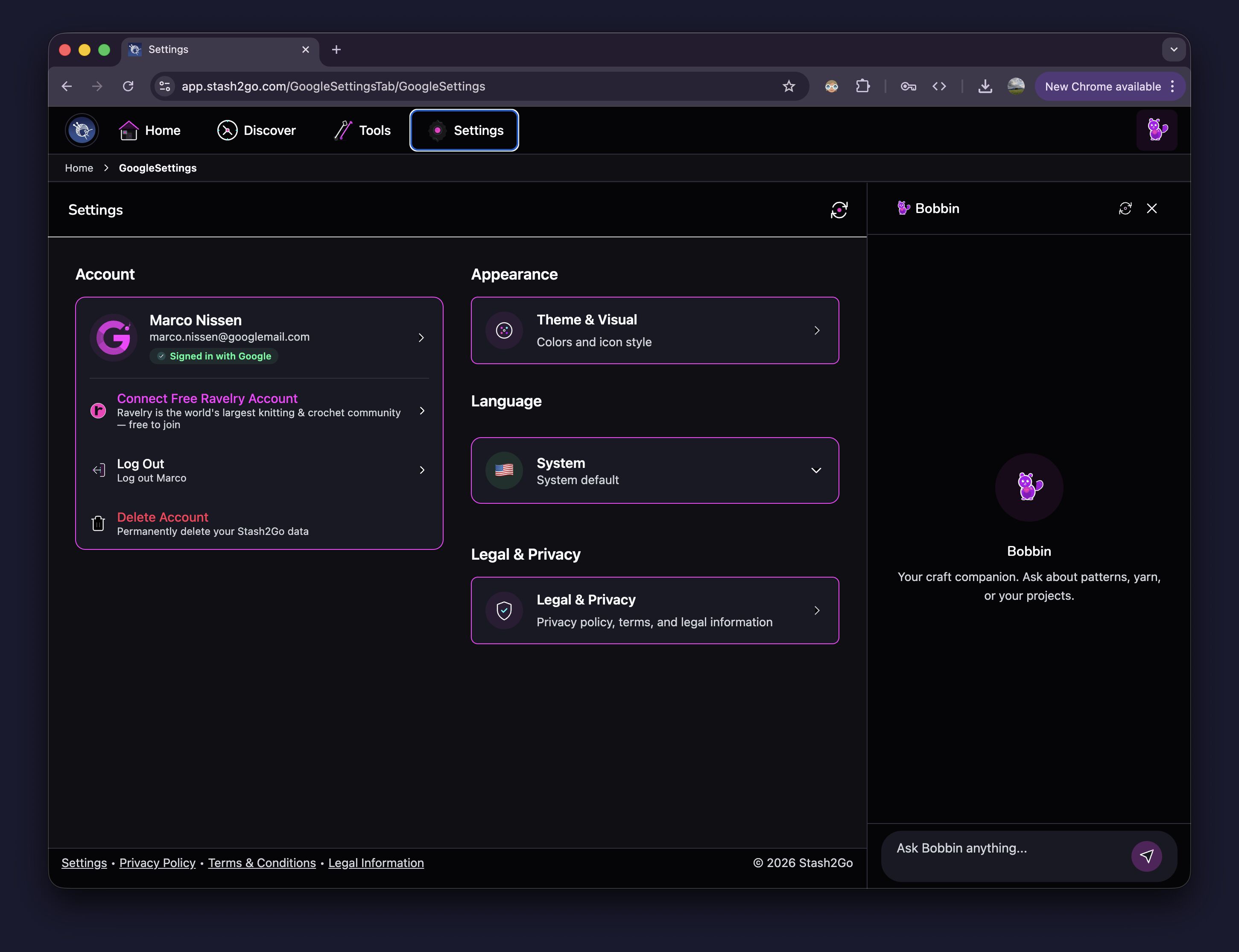
Go to Settings. You'll see your Google account is signed in. Tap Connect Free Ravelry Account to begin.
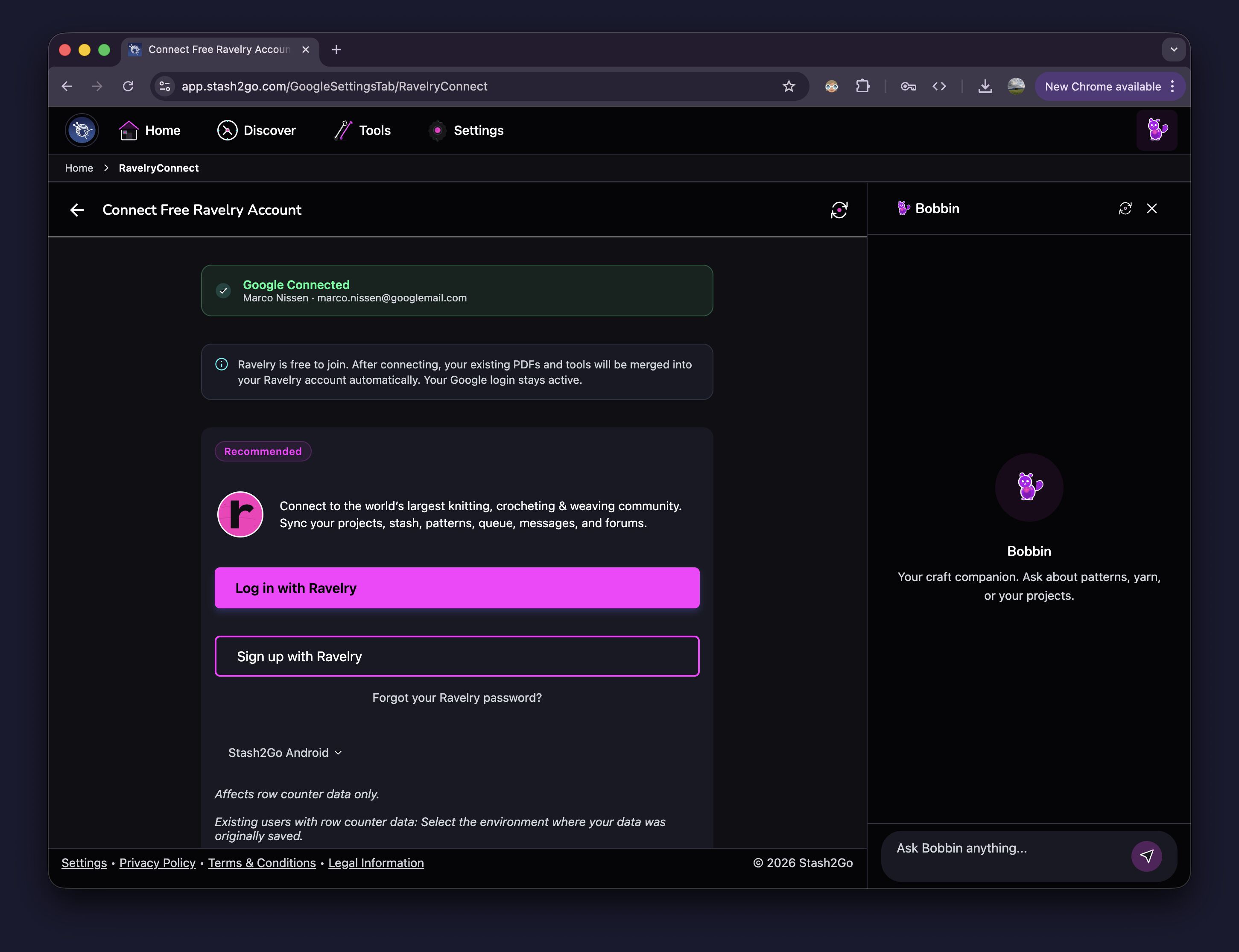
Tap Log in with Ravelry to sign in with your existing Ravelry account, or Sign up with Ravelry to create a free account. Ravelry is free to join. Your Google login stays active after connecting.
After signing in, Stash2Go shows a summary of your Google-only data that will be moved. Review the list, then tap Start Migration. Each item is processed in real time so you can follow along.
Guaranteed:
Projects with photos, notes, and progress are created on Ravelry
Stash entries are transferred into your Ravelry stash
Yarn links become Ravelry packs on the corresponding project
Needles and hooks are moved to your Ravelry needle inventory
Pinned searches are preserved
Best-effort:
Tool assignments (which needles are linked to which project) are mapped where Ravelry has a matching needle size and type
If no exact match exists, the tool is migrated but the project assignment may need manual setup on Ravelry
Nothing moves until you confirm — the migration only starts when you tap Start Migration
Safe to retry — if interrupted, run it again; already-migrated items are updated, not duplicated
Your existing Ravelry data stays untouched — migrated items are added alongside what you already have on Ravelry
Duplicates stay separate — if you have similar items on both Google and Ravelry, they are not auto-merged; you can clean them up manually
Items that need review — if a needle size or tool type doesn't have an exact Ravelry equivalent, the item is migrated but marked so you know to check it
Do I lose my Google login after connecting Ravelry?
No. Your Google login stays active. You can use both accounts together. Stash2Go will use Ravelry for your crafting data (projects, stash, needles) and Google for authentication.
What if I already have projects on Ravelry?
They stay exactly as they are. Migrated projects are added as new projects. Nothing on your Ravelry account is overwritten or deleted.
Will I get duplicate stash entries?
Possibly. If you already added the same yarn to both Google and Ravelry, both entries will exist after migration. Stash2Go does not auto-merge similar items because it cannot be certain they are the same. You can remove any duplicates manually.
What happens if the migration is interrupted?
Just run it again. The migration is designed to be idempotent: items that were already migrated are recognized and updated rather than duplicated.
What does “needs review” mean?
Some items cannot be mapped perfectly. For example, if a needle has an unusual size that Ravelry doesn't list, the needle is still migrated but the project assignment may not carry over. Check those items on Ravelry and assign them manually if needed.
Can I undo the migration?
There is no automatic undo. Since the migration only adds data (never deletes), you can remove individual migrated items on Ravelry if needed.
Do my PDFs move to Ravelry?
PDFs that were uploaded to Stash2Go remain accessible. Pattern PDFs linked from Ravelry patterns are handled through Ravelry's own system. Your private PDF uploads stay in your Stash2Go storage.
Available on iPhone, iPad, Android, and web at app.stash2go.com