8I’m mid-project and need to track progress
Count rows, add notes, and update your project status
A quick walkthrough of working on a project - see progress tracking, row counters, notes, and more.
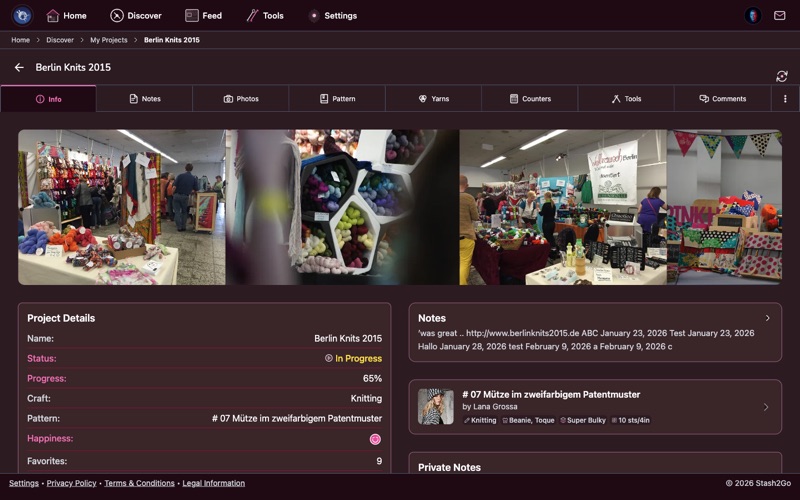
Navigate to your Projects tab and tap a project to open its detail view. The Info tab gives you an overview of your current status, progress percentage, happiness rating, and all project details at a glance.
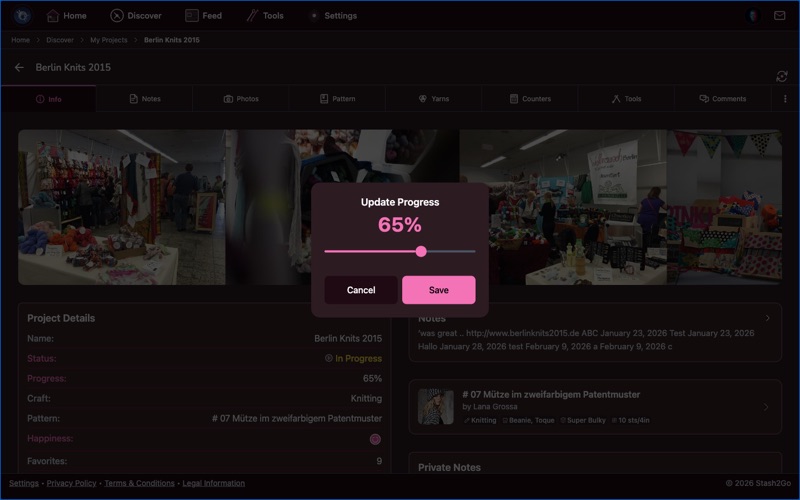
Tap the progress percentage to set it with a slider (0-100% in 5% increments). Tap status to change between In Progress, Finished, Hibernating, or Frogged. Tap the happiness rating to rate your project with stars.
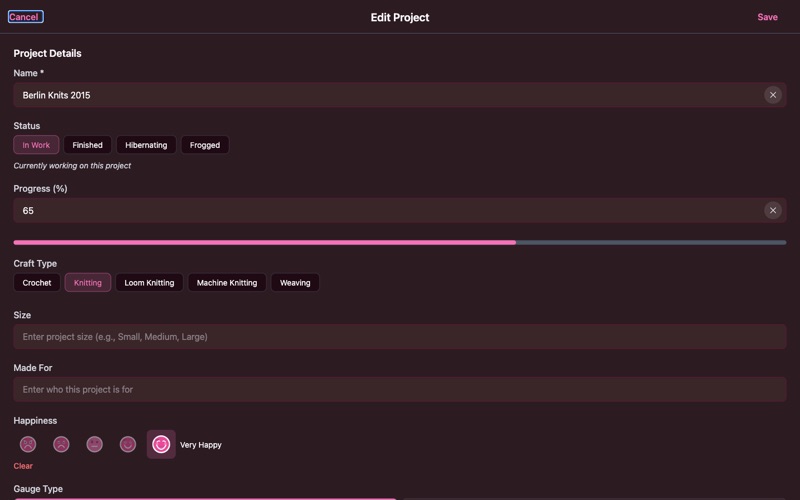
Use the Edit button to change your project's name, status, craft type (knitting or crochet), size, gauge, dates, notes, and tags. You can set started and completed dates, add who the project is made for, and link a pattern.
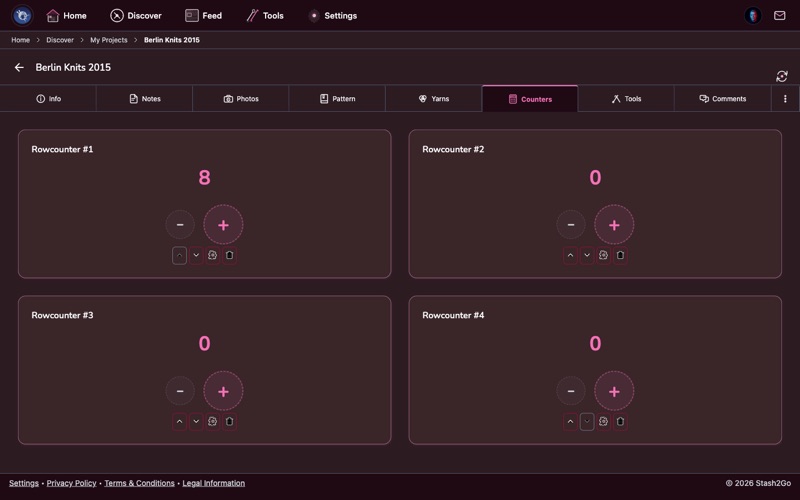
Switch to the Counters tab to track rows with +/− buttons. Create multiple counters for different sections - body, sleeves, pattern repeats - each with a custom name.
Each counter can have a custom increment, a maximum value, and can auto-chain to other counters so one rolls over into the next.
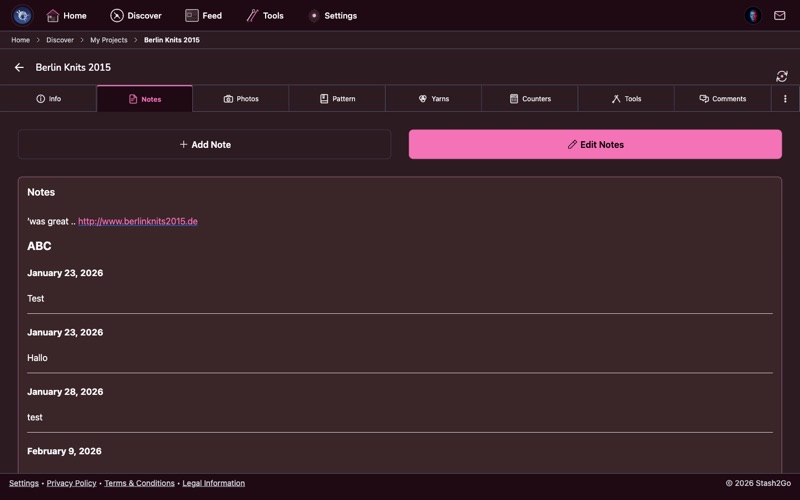
The Notes tab is a project journal with automatic dating. Record modifications you've made, gauge swatch results, or reminders for your next session. Each note gets a date header automatically.
You can edit all existing notes or add new entries at any time. Notes are synced with your Ravelry project.
Available on iPhone, iPad, Android, and web at app.stash2go.com